
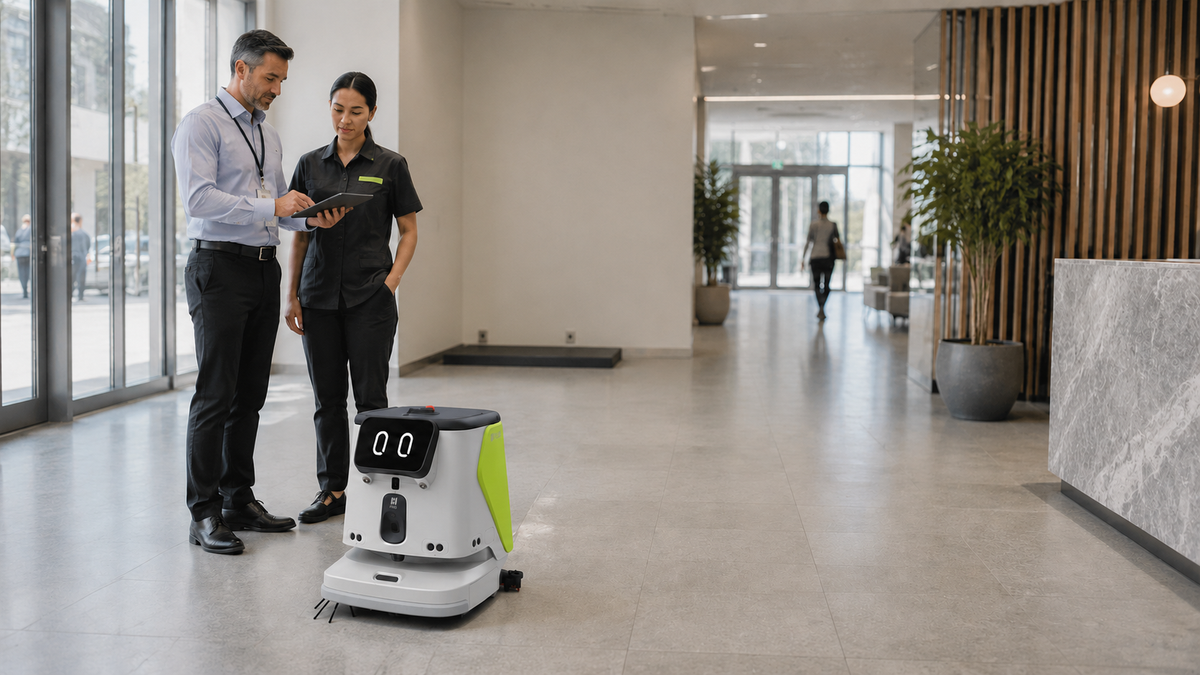
A cleaning robot should not arrive as a novelty that staff have to work around. It should enter a defined workflow, cover measurable cleaning demand, and give your team more time for higher-value work. That is the practical standard for how to deploy cleaning robots in restaurants, offices, warehouses, retail spaces, and multi-use public venues.
The technology matters, but deployment decisions determine the return. A robot may have strong navigation, cleaning performance, and autonomous charging, yet still underperform if routes are poorly chosen, staff are not trained, or expectations are limited to labor reduction alone. The strongest deployments combine cleaner floors with more consistent operations, visible innovation, and a more focused facility team.
Start With the Cleaning Work, Not the Robot
Before selecting a machine or scheduling a demonstration, identify where cleaning pressure is highest. Review the tasks your team repeats every day: sweeping entrances, vacuuming long corridors, maintaining dining areas between peak periods, or scrubbing warehouse aisles. Then separate those tasks by frequency, floor type, area size, and the level of human judgment required.
Cleaning robots are especially effective when the work is repetitive, route-based, and time-consuming. A large open lobby with predictable traffic, for example, is usually a better starting point than a cramped storage room that changes layout several times a day. That does not mean smaller or more complex spaces cannot benefit. It means the deployment plan must match the environment rather than forcing the environment to fit the robot.
Set a baseline before deployment. Track the square footage cleaned, labor hours assigned, cleaning frequency, customer complaints, and the time it takes to restore floors after busy periods. These figures create a realistic benchmark for evaluating results after launch.
Assess Site Readiness Before Mapping Routes
Autonomous cleaning is practical in active commercial environments, but the site needs a few operating conditions in place. Start with the floor. Identify transitions between surfaces, ramps, thresholds, loose mats, drain covers, and areas where water or debris regularly accumulates. Confirm that the robot selected is suited to the cleaning task, whether that is vacuuming, sweeping, scrubbing, or a combination of functions.
Next, review pathways. Robots need repeatable access to the areas they will clean, as well as clear travel paths to their charging or docking station. The dock should sit in a protected location with reliable power, enough clearance for the robot to park, and limited interference from carts, deliveries, or foot traffic.
Site readiness also includes operational discipline. If pallets, dining chairs, cables, or promotional displays routinely block aisles, decide who will clear routes before scheduled runs. This is not a reason to delay automation. It is an opportunity to formalize standards that make the entire facility easier to operate.
For multi-location organizations, build a short site-readiness checklist that every location completes before rollout. Consistent assessment prevents one-off workarounds from becoming the standard.
Design Routes Around Business Hours
A robot does not need to clean every area on one long run. In most commercial settings, several shorter, intentional routes create better results. A restaurant may schedule a quick dining-room pass before opening, targeted cleaning after lunch, and a deeper overnight run. A warehouse may prioritize high-traffic aisles between shifts while reserving wider zones for off-peak hours.
Route design should account for people, not simply square footage. In customer-facing spaces, cleaning robots can be part of the experience when they operate calmly and predictably. Their visible presence can reinforce a modern, attentive brand. But during peak service periods, a route may need lower speeds, restricted zones, or a different schedule to avoid disrupting staff and guests.
This is where trade-offs matter. Running a robot only after hours may maximize travel speed, but it may not address the daytime cleanliness customers notice. Operating during open hours can improve appearance and service consistency, but requires more deliberate route planning. The right balance depends on traffic patterns, staffing levels, and your brand environment.
Build a Clear Role for Staff
Cleaning robots extend a team. They do not eliminate the need for people who inspect results, handle detail work, respond to spills, and maintain the broader environment. Communicate that role clearly from the first day.
Give staff practical training on starting and pausing runs, checking water or waste levels where applicable, moving the robot safely, responding to alerts, and keeping the docking area clear. Just as important, explain why the deployment is happening. When employees understand that automation reduces repetitive floor coverage and creates time for guest-facing service, quality checks, or specialized cleaning, adoption becomes easier.
Assign ownership at each location. One person does not need to operate the robot all day, but someone should be responsible for confirming the daily schedule, reviewing exceptions, and escalating issues. At larger sites, include cleaning robot checks in shift handoffs so the system remains part of normal operations rather than a task remembered only when performance declines.
Launch With a Measured Pilot
A pilot should prove an operating model, not just demonstrate that a robot can move around the building. Choose one location or a defined zone with a clear need and manageable conditions. Run it long enough to capture different traffic periods, including busy days, quieter shifts, and special events if relevant.
During the pilot, measure results against the baseline. Look at coverage completed, time returned to staff, cleaning frequency, floor appearance, interruptions, and maintenance needs. Customer or employee feedback can also reveal issues that data alone may miss, such as whether the dock location is inconvenient or a route conflicts with a delivery window.
Avoid judging success solely by headcount reduction. The more useful question is whether the same team can maintain higher standards with less repetitive effort. In many businesses, the value comes from redeploying staff to work that is harder to automate: restroom checks, detail cleaning, guest support, inventory tasks, and quality assurance.
Standardize How to Deploy Cleaning Robots at Scale
Once a pilot works, expansion should be structured. Document the winning configuration: approved routes, schedules, dock placement, cleaning supplies, staff responsibilities, safety procedures, and performance measures. This playbook gives each new site a proven starting point while leaving room for local adjustments.
Standardization is particularly valuable for franchises, campuses, hotel groups, and distributed facilities teams. It allows leaders to compare performance across locations and identify where a site needs route changes, additional training, or a different robot configuration. A compact office, a high-volume restaurant, and a warehouse may use different machines, but they can still follow the same deployment discipline.
KUBY supports this approach by positioning commercial robotics as an operational system, not a standalone device. The goal is an implementation that staff can understand quickly and leadership can scale with confidence.
Keep Safety, Maintenance, and Governance Visible
Autonomous equipment needs routine attention. Establish daily checks for sensors, brushes, tanks, filters, charging status, and visible damage according to the machine's operating requirements. Schedule preventive maintenance before small issues become downtime. If the robot works in public areas, train staff on how to respond when a guest blocks its path or when a spill requires immediate manual intervention.
Safety procedures should also define when not to run the robot. Construction activity, unusually dense crowds, floor hazards, or a major layout change may call for a modified route or manual cleaning. Good automation is not rigid. It gives managers enough control to adapt without abandoning the system.
Review performance monthly after launch. If coverage is lower than expected, investigate the cause: route obstruction, insufficient run time, missed charging, changing traffic patterns, or an unclear staff process. Small adjustments often produce more value than a major redesign.
The best cleaning robot deployment becomes almost unremarkable in the right way. Floors stay consistently clean, teams spend less time on repetitive coverage, and customers see a business that invests in better operations. Start with one meaningful workflow, prove it in the real environment, then build the habits that let every additional site perform from day one.

